
HYS Online Banking Platform – Toll-Free Verification Authentication Flow
This page has been provided to support Twilio TFV and A2P/10DLC campaign verification.
HYS provides a white-labeled online banking platform for financial institutions. Each financial institution deploys the platform using its own branding and domain. Because these production banking environments require authentication, they are not publicly accessible. The screenshots below demonstrate the authentication workflow from one client deployment of the HYS platform.
Banking Authentication Model
The HYS Online Banking Platform is deployed by financial institutions as a secure, authenticated banking application.
- Customers establish their online banking relationship directly with their financial institution.
- Each financial institution presents its own Privacy Policy and Terms of Service during account enrollment and through its online banking website.
- One-time passcodes (OTP) are used solely as a security control to authenticate a user during a user-initiated sign-in.
- The user explicitly chooses whether to receive the one-time verification code via SMS or Email before an SMS message is sent.
- No marketing, promotional, or recurring SMS messages are sent through this authentication workflow.
Purpose of SMS Messaging
SMS is used exclusively for sending one-time passcodes (OTP) to authenticate users during sign-in.
- No marketing messages
- No promotional messages
- No recurring campaigns
- Messages are only sent after a user initiates authentication
Authentication Workflow
- User navigates to their financial institution's online banking portal.
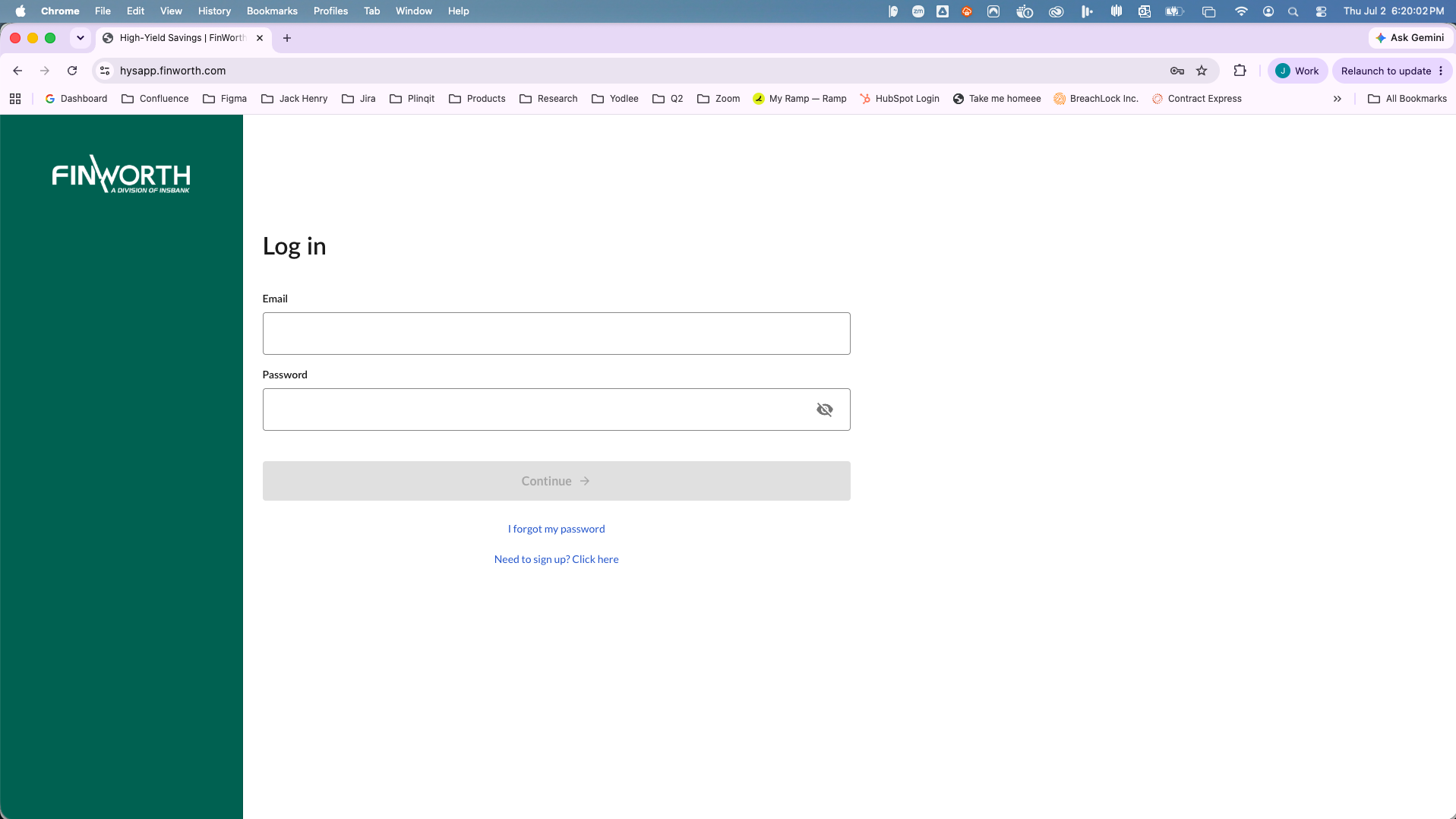
- User signs in using their online banking credentials.
- User is prompted to verify their identity.
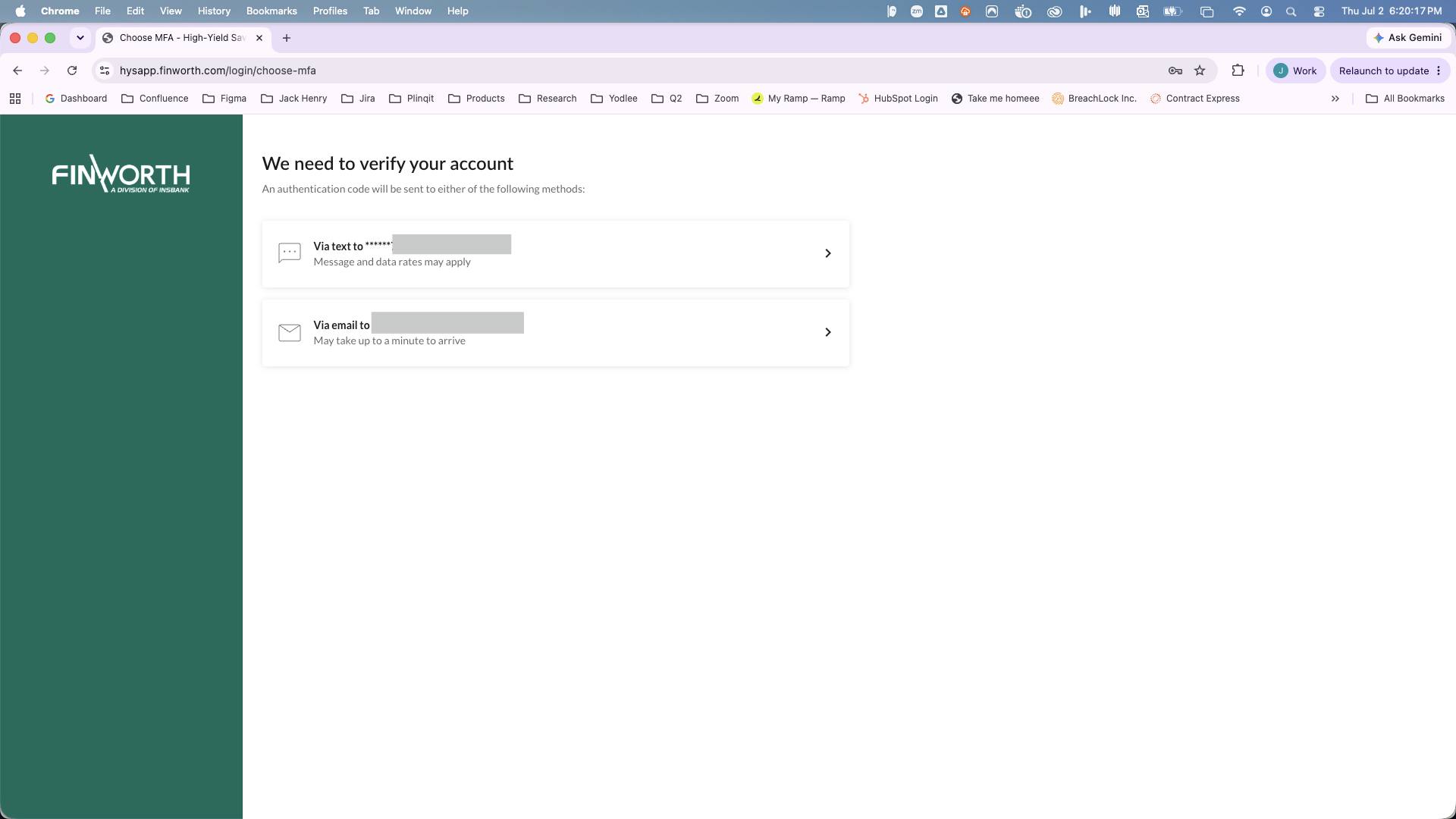
- User chooses how to receive the one-time verification code:
- SMS
- If SMS is selected, a one-time verification code is sent to the user's registered mobile phone.
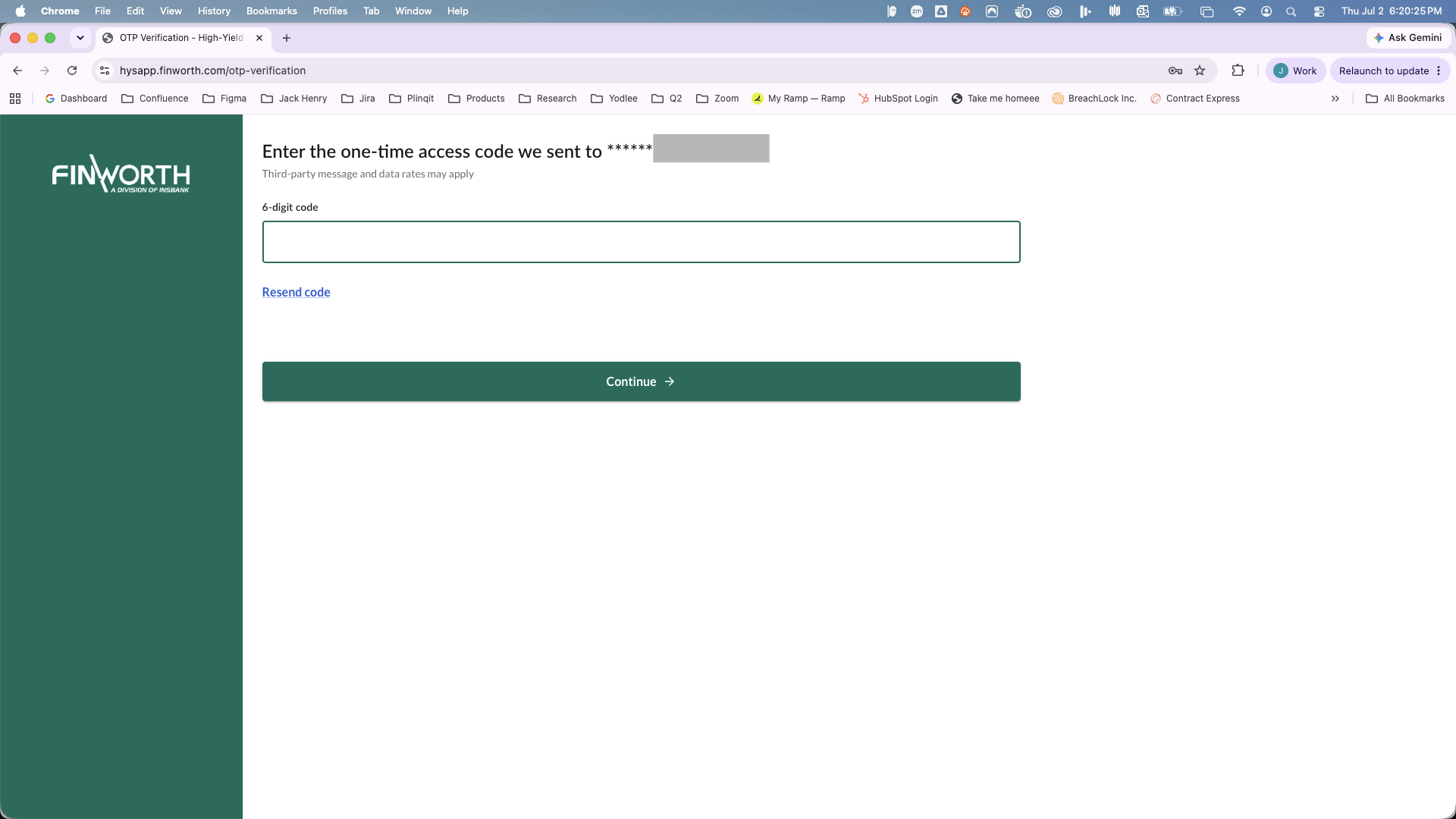
- User enters the verification code to complete authentication.
User Consent
The user explicitly chooses the desired authentication method before any SMS message is sent. SMS is optional. Users may instead choose email verification.
The interface also informs the user that message and data rates may apply.
Example Client Deployment
The following screenshots are from one financial institution using the HYS Online Banking Platform. Branding varies by financial institution, but the authentication workflow is the same.
Step 1 – Login
The user accesses the institution's secure online banking portal and signs in.
Step 2 – Select Authentication Method
After successful authentication, the user chooses how to receive the one-time verification code. The user may choose either SMS or Email. No SMS message is sent until the user selects SMS.
Step 3 – Enter One-Time Verification Code
After selecting SMS, the user receives a one-time verification code and enters it to complete authentication.
Sample SMS Message
Your verification code is 999999. This code expires in 10 minutes.
Message Characteristics
- Use Case: User authentication (OTP)
- Message Frequency: One message per user-initiated authentication request
- User Initiated: Yes
- Marketing: No
- Promotional: No
- Recurring Campaign: No
- Opt-In: User explicitly selects SMS as the preferred verification method before an SMS is sent.
- Alternative Delivery Method: Email
Reviewer Notes
Because the HYS Online Banking Platform is deployed for financial institutions, production environments are protected by authentication and cannot be made publicly accessible. This page has been created solely to document the authentication workflow for Twilio compliance review.